Home Brew Dripper Application
Implemented and refined UI and functionality for a coffee recipe app, aligning screens with Figma designs and ensuring reliable navigation.
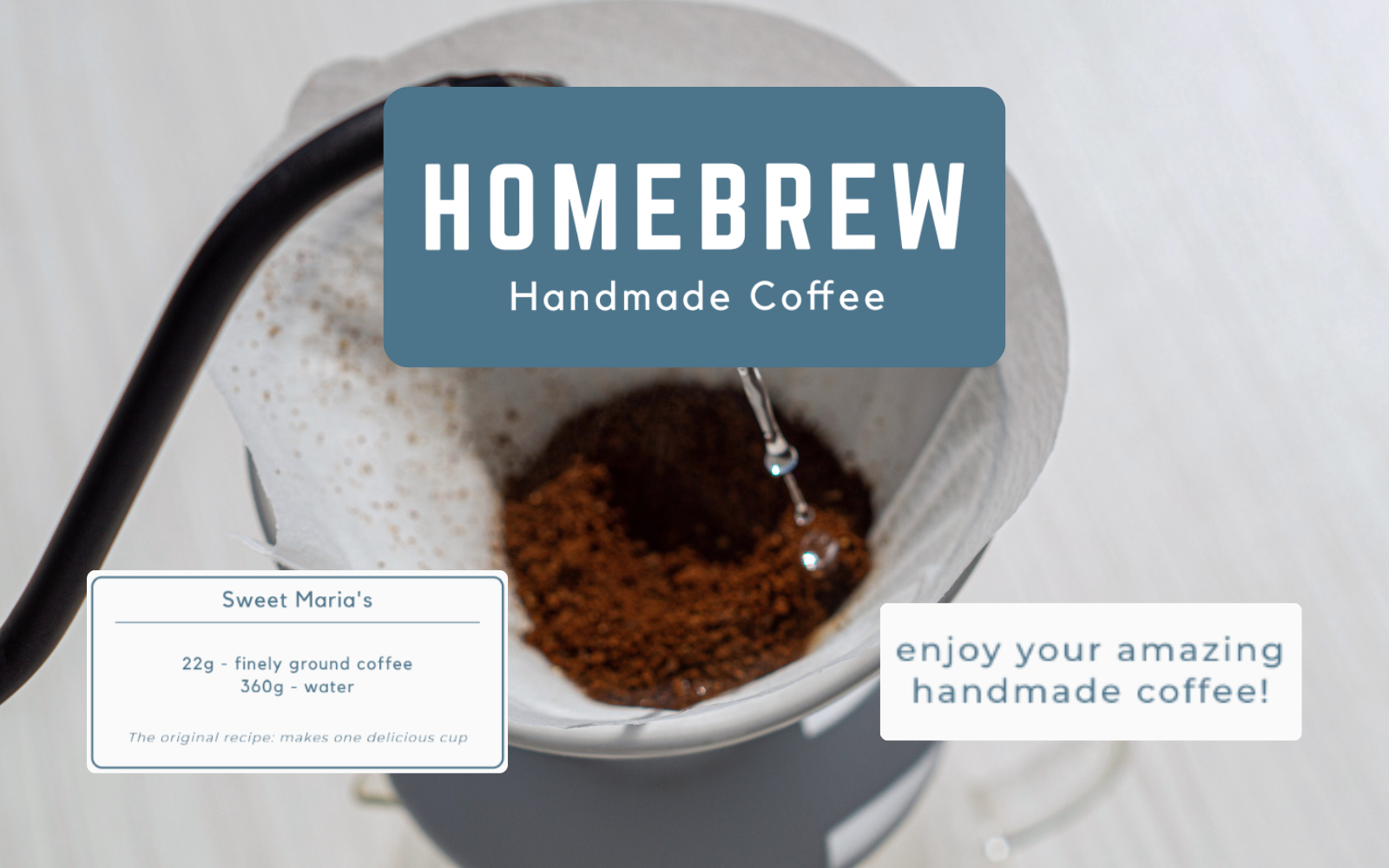
Home Brew Dripper App Details
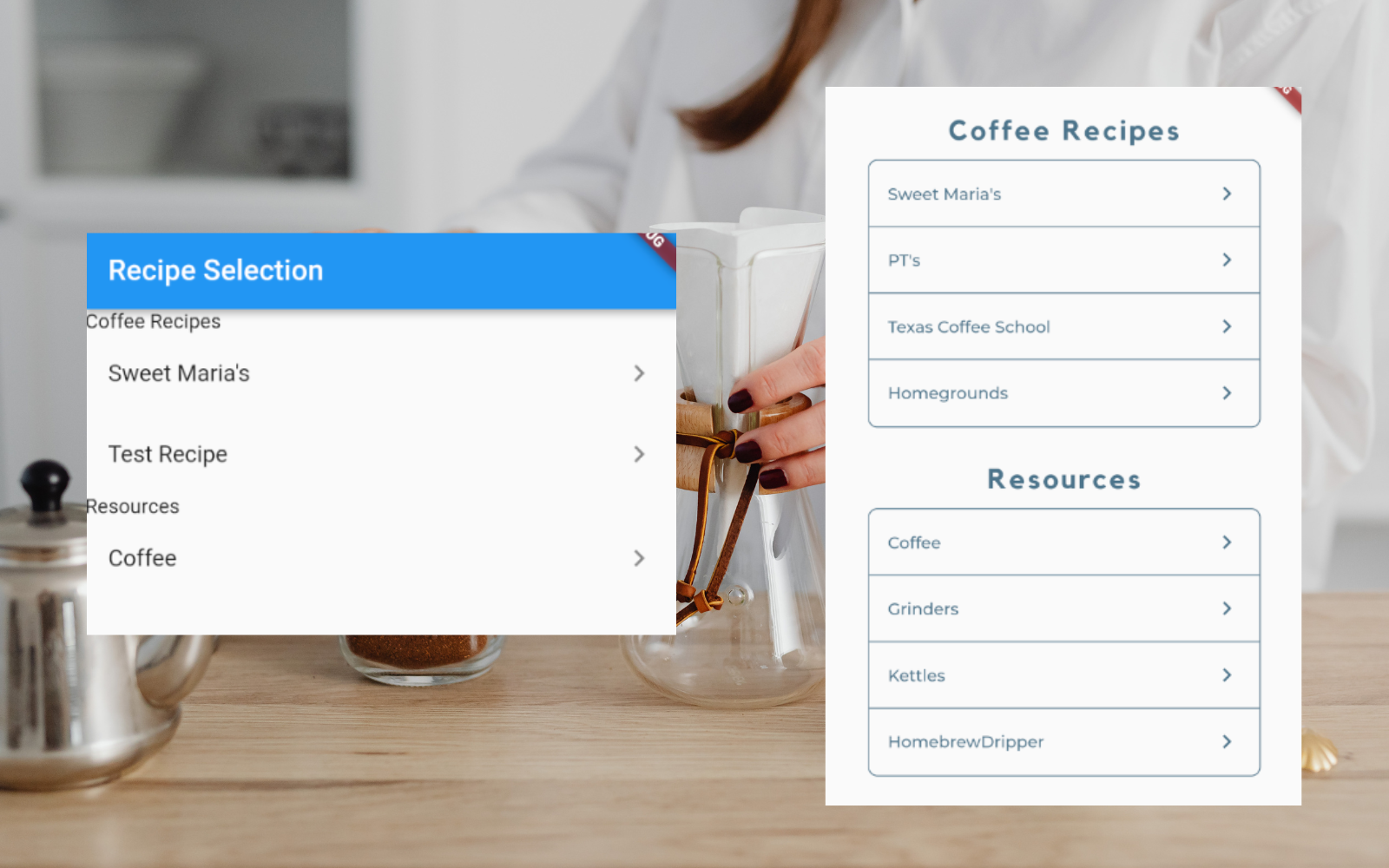
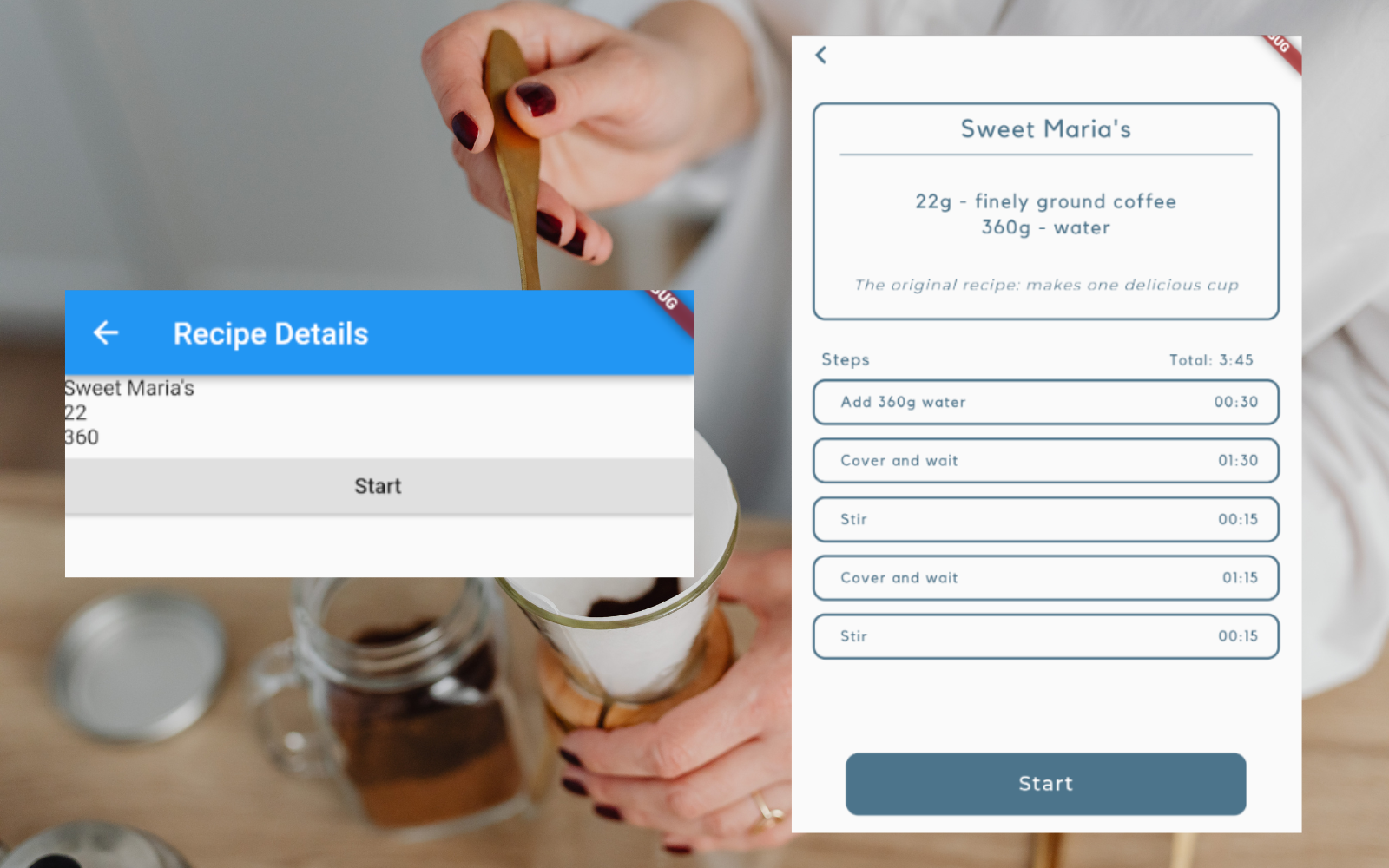
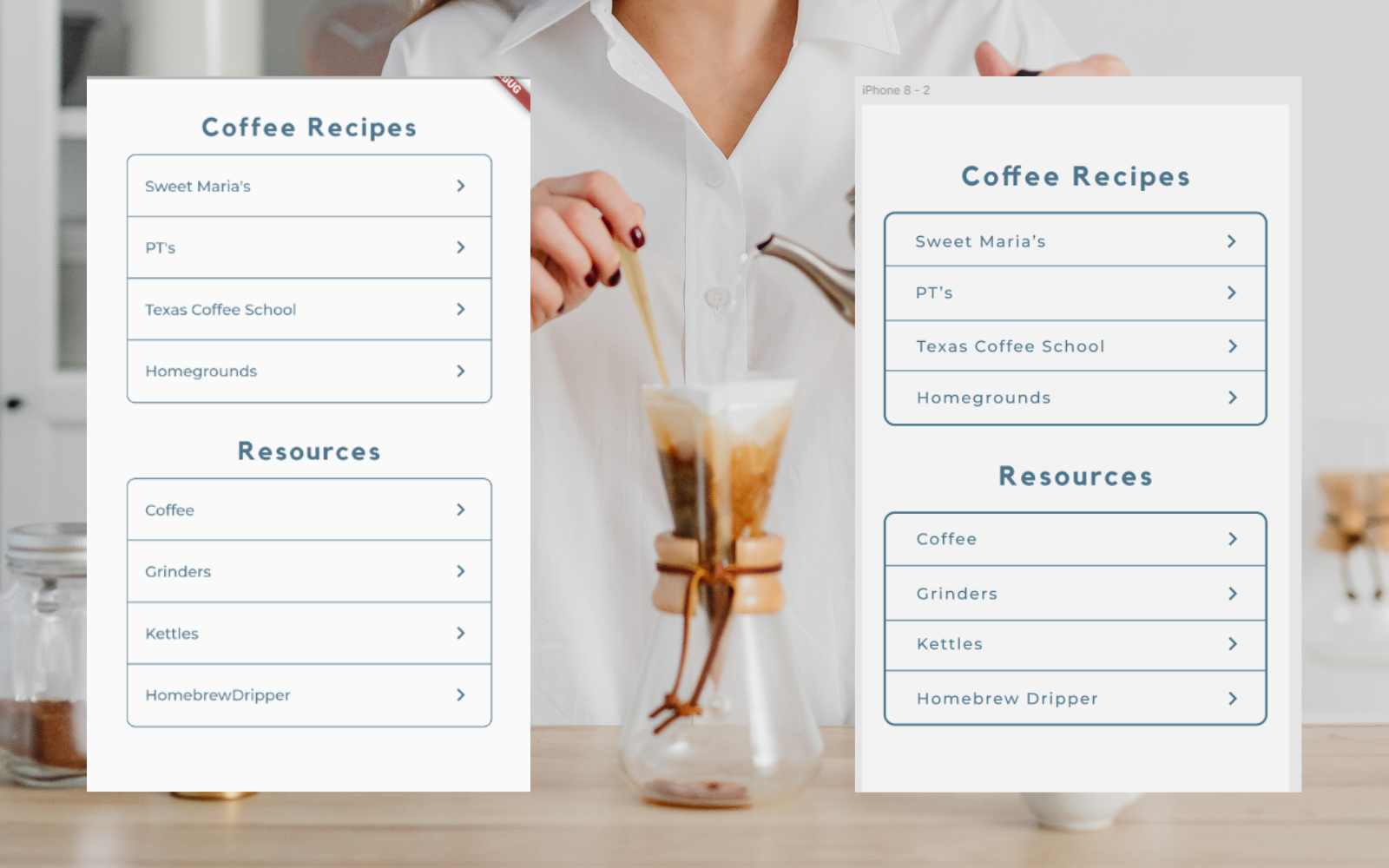
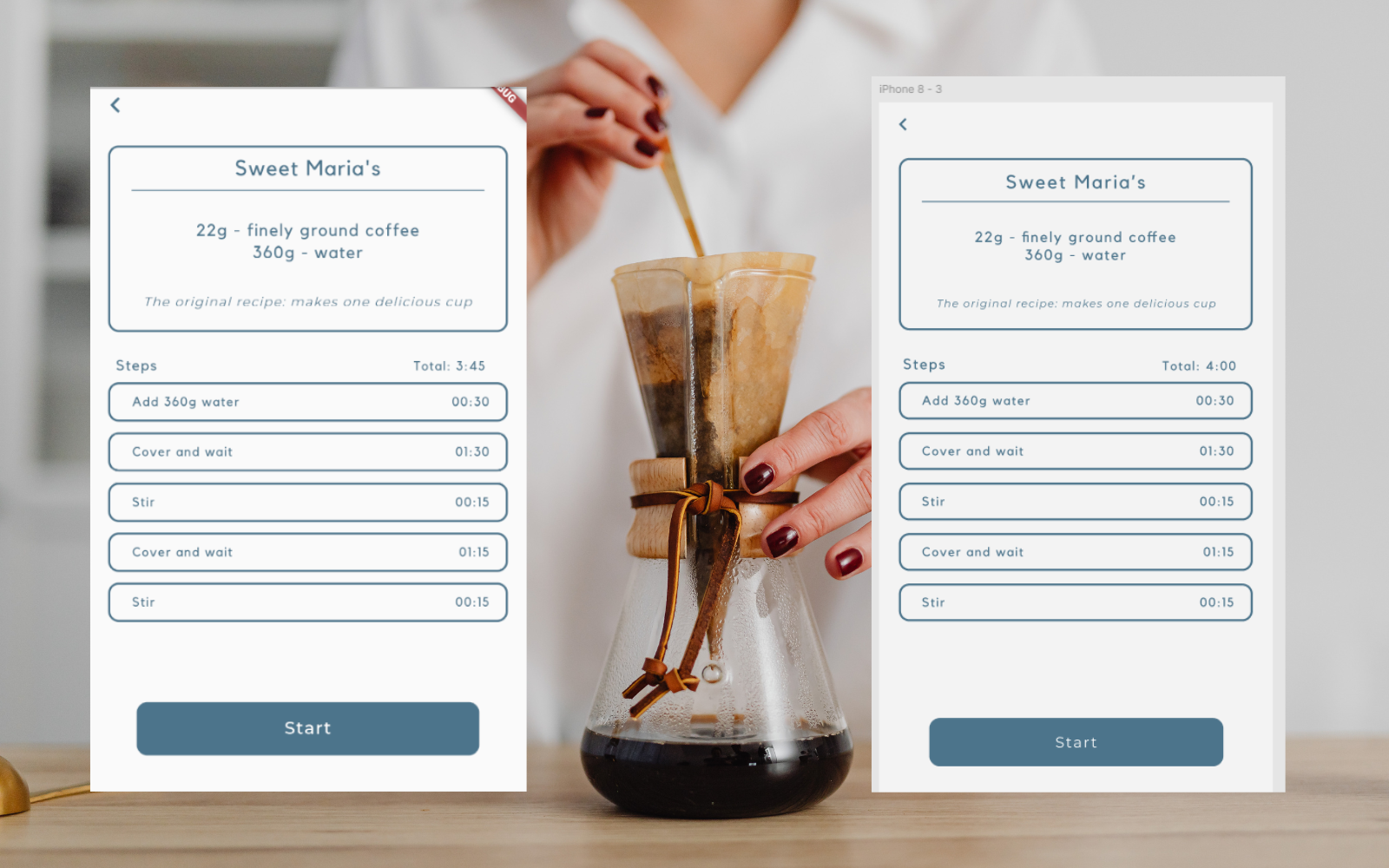
For this undergraduate Software Engineering II class project, I worked on the Home Brew Dripper App, a mobile application that guides users through step-by-step coffee recipes. The Figma designs and app structure were provided by our professor, and my job was to implement and polish the UI and app functionality to match these designs. I modified screens such as the Recipe Selection and Recipe Detail screens to ensure proper text formatting, button placement, and visual consistency.
Beyond visual improvements, I added key functionalty to improve user experience. This included a back button on the Recipe Detail screen to return to the Recipe Selection screen and adjustments to the Start button to prevent layout issues on recipes with many steps. Additionally, I expanded the app's coffee recipe data, validated inputs to prevent invalid recipes, and removed placeholder recipes. To ensure reliability, I implemented integration tests, including tests for navigation between screens and validation of recipe data. These tests verified that the app behaves correctly when users interact with it, providing confidence in both functionality and user experience.
This is one of the first projects I did in my early career that made me truly fall in love with app development. This Software Engineering II class made me realize that this was the right career choice for me and I will never forget that.
Lesli Perez
Live and in the Flesh
This project strengthened my skills in translating design specifications into a functional interface, adding user-friendly features, and writing tests to validate application behavior. It also gave me hands-on experience building a mobile app UI while working in a collaborative environment.
Project information
- Category App Development
- Technologies Flutter, Dart, Android Studio, Figma, Git/GitHub
- Skills Mobile App Development, UI/UX, integration testing, debugging and layout fixes, version control and PR workflow
- Project date April 2022 - May 2022
- Project URL GitHub Link